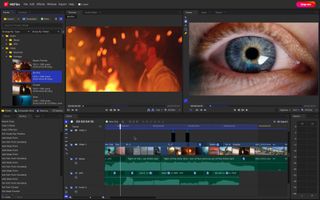
Top 5 Editing Tools to Elevate Your Photography Game
Elevating your photography game requires not just skill behind the lens, but also the right editing tools to bring your vision to life. Here are the Top 5 Editing Tools that can enhance your images, whether you're a beginner or a seasoned pro. These tools offer an array of features, from basic adjustments to advanced enhancements, ensuring your photographs stand out in today’s visually driven world:
- Adobe Photoshop - Widely regarded as the industry standard for photo editing, Photoshop offers unmatched flexibility and power for any kind of image manipulation.
- Adobe Lightroom - Perfect for organizing and editing large batches of photos, Lightroom is ideal for photographers who need a streamlined workflow without sacrificing quality.
- Canva - Great for beginners, Canva provides easy-to-use tools that let you create stunning visuals quickly, including social media graphics.
- Affinity Photo - This affordable alternative to Photoshop packs a punch with its extensive features, making it an excellent choice for those looking to step up their editing.
- GIMP - As a free, open-source photo editor, GIMP provides powerful tools for those who want professional-grade edits without the cost.
How to Choose the Right Filters for Stunning Photos
Choosing the right filters for your photography can dramatically enhance the quality and emotion of your images. Firstly, consider the type of photography you're pursuing—landscape, portrait, or macro, as this will affect the filters you need. For example, a polarizing filter is excellent for landscape photography, as it reduces glare from water and enhances the colors in the sky. If you're interested in experimenting with light, neutral density filters (ND filters) can allow you to create stunning long-exposure shots even in bright sunlight.
Next, consider the quality of the filter itself. Investing in high-quality filters ensures that your images remain sharp and free from unwanted distortions. Read reviews and check specifications before making a purchase. It can also be beneficial to explore variable filters that allow for adjustment based on lighting conditions. Lastly, don’t forget about the importance of post-processing. Sometimes, applying filters during editing software, such as Adobe Photoshop, can provide more control and creativity than physical filters alone. Remember, the right filter can elevate your photography game, but it's all about understanding your specific needs and style!
Transform Your Ordinary Shots: Essential Tips and Tricks
Are you ready to transform your ordinary shots into breathtaking images that captivate your audience? One of the first steps is to understand the fundamentals of composition. Utilize the Rule of Thirds by dividing your frame into a 3x3 grid, allowing you to position your subject along the intersecting lines for a more dynamic shot. Additionally, experiment with leading lines to draw the viewer's eye into the photograph. Remember, a little creativity can go a long way in making your shots stand out!
Next, consider the role of lighting in photography. Natural light is often the most flattering; try shooting during the golden hour just after sunrise or before sunset for warm, inviting tones. If you're capturing indoor scenes, experiment with using a softbox or diffuser to create diffused lighting that enhances the subject. Don't shy away from editing tools either—simple adjustments to brightness and contrast can dramatically elevate your work. By following these essential tips, you're well on your way to transforming even the most ordinary shots into stunning visuals.